Toolkits
Godot GDExtensions, built for real games.
We ship the exact tools we use in Cobblestone Legacy: C++ cores with plain GDScript APIs, one shared theme system, and the awkward parts — threading, schema migration, virtualised drawing — already handled. Windows, macOS, Linux, and now the browser.
Runs where your game runs
Both toolkits ship binaries for Windows, Linux and macOS (universal, Intel and Apple Silicon), and both compile to WebAssembly — charts, grids and a live SQLite database, in a browser tab. That last one is unusual for a C++ GDExtension, so we wrote down exactly what it takes.
Platform notes & web setup- Windowsx86_64
- Linuxx86_64
- macOSuniversal
- Webwasm32 + threads
Two toolkits
One draws your data, the other stores it. They are independent — take either on its own.
- 14 controls
- 4 categories
- 100k points, no hitch
DataViz UI Kit
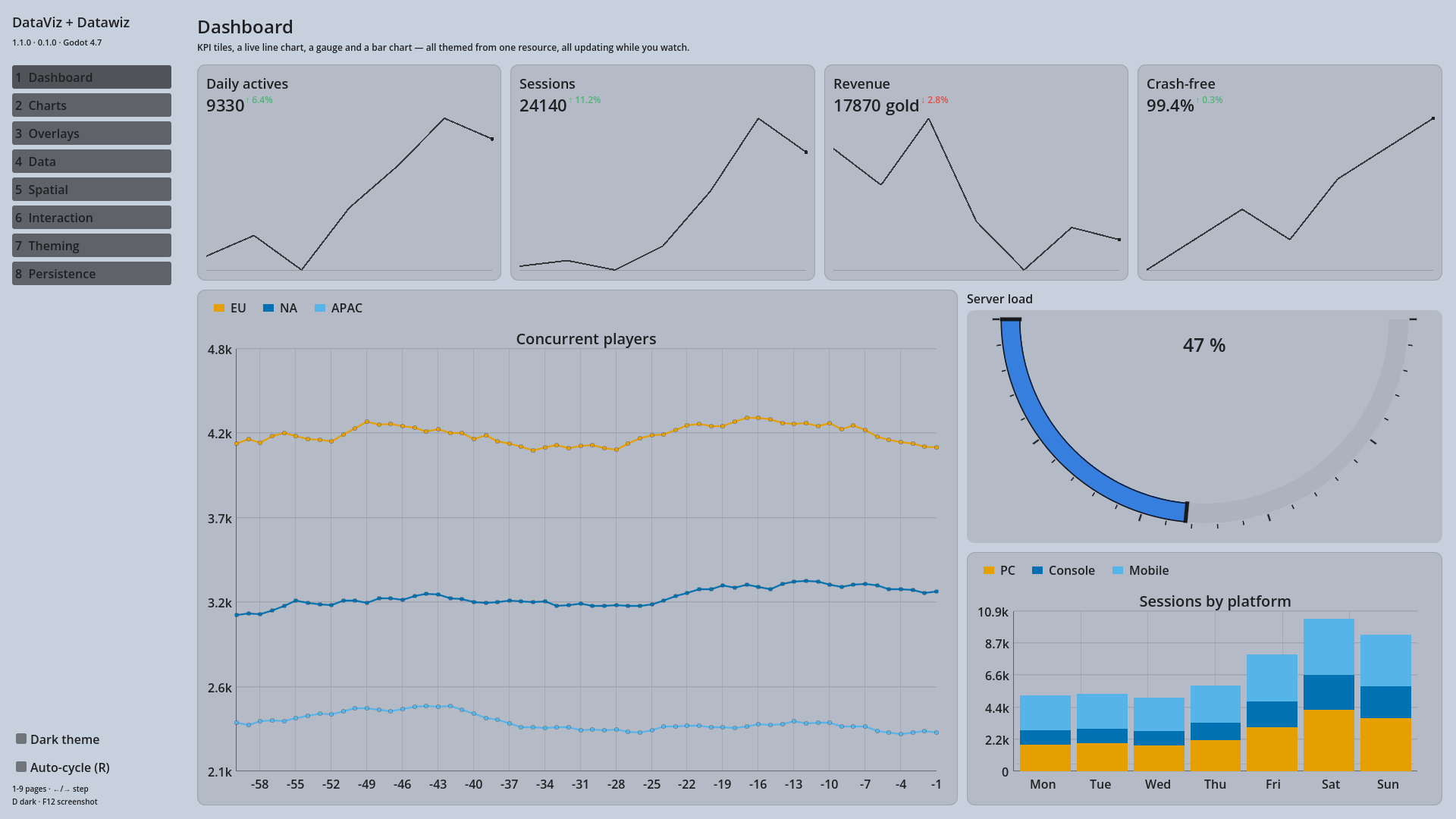
Charts that keep up with real data.
Charts, gauges, KPI tiles, a virtualised grid and a heat map — every one a Control node you drop in the scene tree. One theme resource colours all of them, they emit the same interaction signals, and they work from a keyboard or a gamepad.
A working chart, in full:
@onready var chart := $LineChart

func _ready() -> void:
	chart.set_categories(["Mon", "Tue", "Wed", "Thu", "Fri"])
	chart.add_series("Revenue", PackedFloat32Array([820, 932, 901, 1290, 1330]))
	chart.item_clicked.connect(func(series, index, value):
		print("clicked ", value))
- Writer thread + reader pool
- Schemas from your classes
- Zero SQL required
DataWizard
Persistence you do not have to think about.
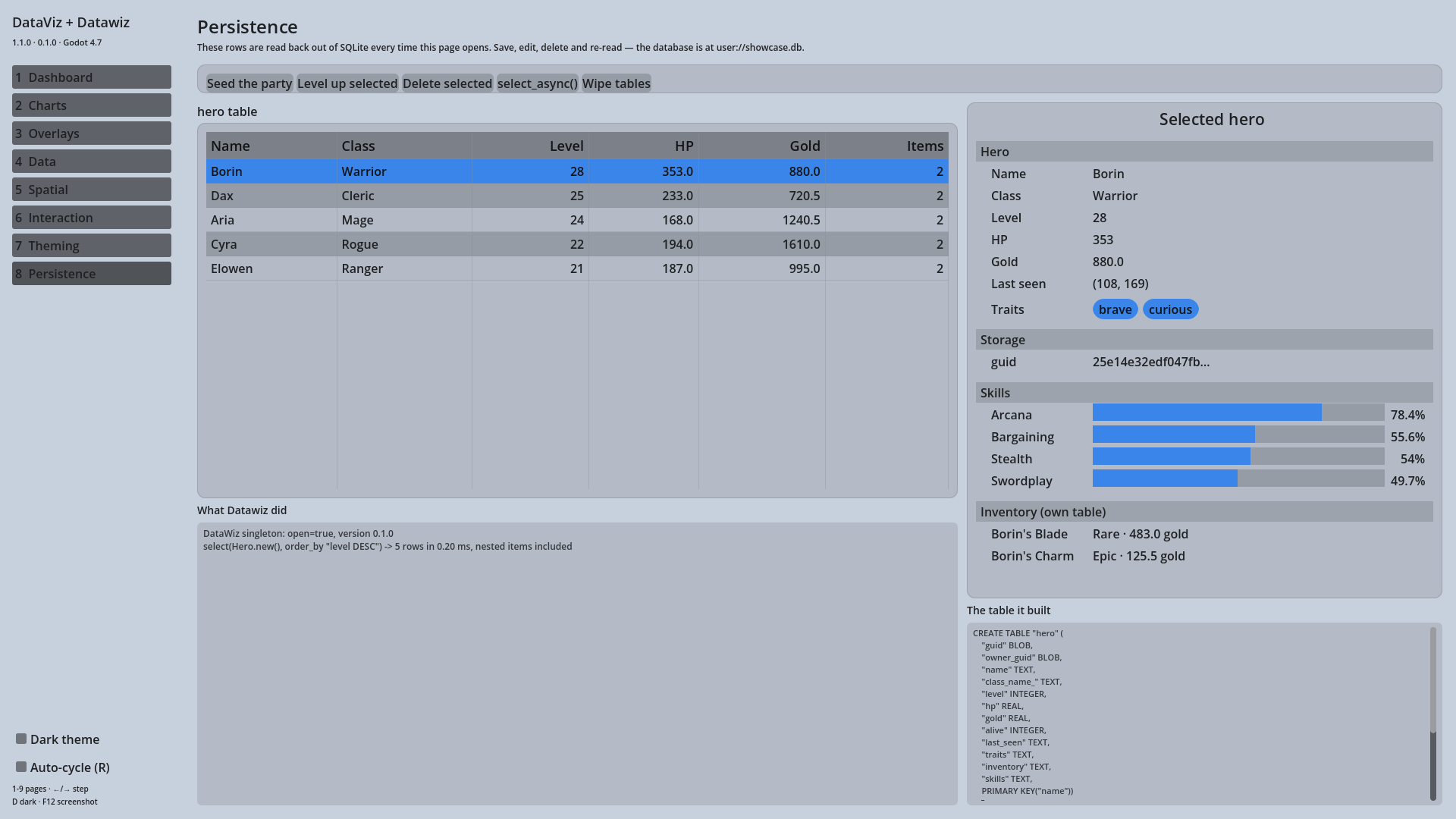
Declare a class; every variable becomes a SQLite column. Tables are created and migrated for you, nested objects are saved and rehydrated with their parent, and writes are queued on a background thread so a save never costs you a frame.
A save system, in full:
class_name Hero extends DWRecord

var name: String = ""
var level: int = 1
var inventory: Array[Item] = []    # its own table, saved with the hero

# somewhere else
hero.save_to_db()
var everyone := DataWiz.select(Hero.new())
Why these and not a GDScript addon?
- They stay fast when the data gets big. The grid draws only the rows on screen and the line chart decimates to roughly two samples per horizontal pixel. Redrawing a 100,000-point series went from 460 ms in 1.0 to below the measurement floor in 1.1; sorting a 10,000-row grid takes about 10 ms. That is the whole reason for the C++.
- Nothing blocks the main thread. DataWizard writes on its own thread and reads from a pool; big reads can be moved off the frame entirely with a callback.
- One theme, everything. Set colour seeds once and every control follows, light or dark, with contrast checked against the background rather than eyeballed.
- They are documented like a product. Every example on this site is compiled and executed against the shipped binaries before it goes up, so what you paste is what runs.
Support indie tools you can trust.
These are the same extensions we use to ship our own games. Buying one funds better docs, more examples, and the next feature.